editing child parameters
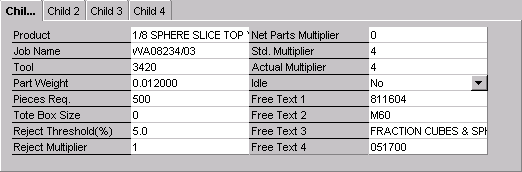
| · | Use the tab key or mouse to select the child job to edit.
|
| · | Move the cursor to the desired job parameter.
|
| · | Type in a new value in the Value column for the job parameter.
|
NOTE: Child Jobs cannot be added or removed from a current job or queued job. They can only be added when the job is a work order. In other words, once scheduled, the number of child jobs assigned to a job cannot be changed.