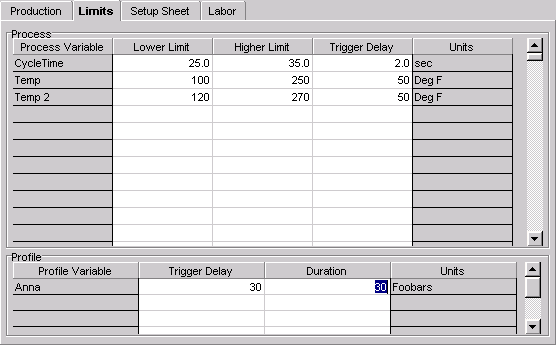
| · | Click on the Limits tab located in the top of the window.
|
| · | A list of process variables and their corresponding parameters appears in the top grid.
|
| · | A list of profiles and their corresponding parameters appears the bottom grid.
|
| · | An undefined parameter is represented by four asterisks.
|
| · | Type in any new values in the appropriate column and process variable row -- over striking the asterisks.
|
| · | Higher Limit - Enter a value that is higher than the normal operating range of the process variable.
|
| · | Lower Limit - Enter a value that is lower than the normal operating range of the process variable.
|
| · | Trigger Delay - This field is used to override the existing trigger delay as entered in the Machines Setup window. Leave the asterisks if you want to keep the existing delay.
|
| · | Trigger Delay - This field is used to override the existing trigger delay as entered in the Machines Setup window. Leave the asterisks if you want to keep the existing delay.
|
| · | Duration - This field is used to override the existing duration as entered in the Machine Setup window. Cycle times for different jobs may vary, requiring a longer or shorter duration. The sum of the trigger delay and the duration must be less than the cycle time. Leave the asterisks if you want to keep the existing duration.
|