changing contact input settings
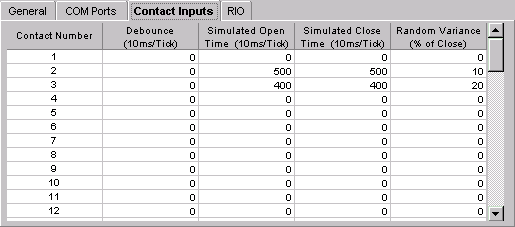
The Contact Inputs tab allows the user to set up simulated contact inputs.
To change the Contact Inputs settings, click on the Contact Inputs tab located in the middle of the screen.
This is useful for diagnostic purposes. The first input is always Cycle Time. The open and close ticks are defined as being 10 milliseconds per tick, so to have the contact open for 5 seconds the setting should be 500. In order for the DCM to operate correctly these must be reset to zero when testing is completed.