Machine Performance
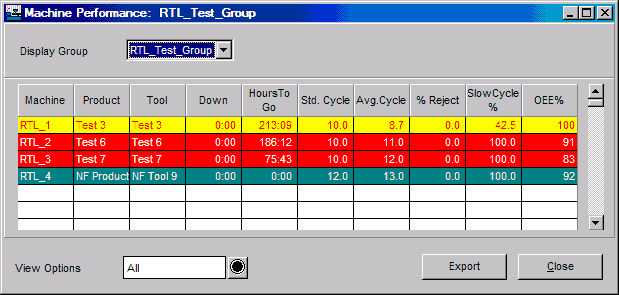
The Machine Performance window provides a summary of a selected display group's performance over time as it pertains to currently running jobs. There is one line of information for each machine within the display group. The color of the line reflects the machine's running state. See the Machine State Colors on-line help section for further information.
Where can you find it?
| · | Choose the Monitor menu on the main PlantStar Panorama window.
|
| · | Choose the Machine Performance option.
|
What do you want to know about?
| · | Changing Display Groups
|
| · | Changing View Options
|
| · | Closing the Window
|
|
|