Material Forecast
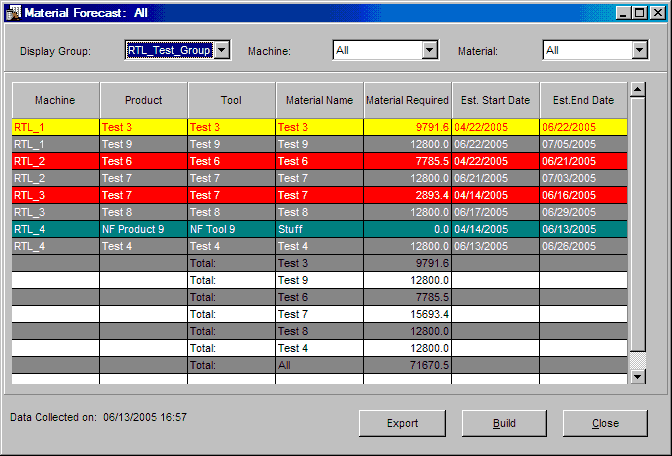
The Material Forecast window provides a forecast of the amount of material required for both current jobs and queued jobs. Forecasts are based upon scheduled jobs information. Job parameters such as standard multiplier, actual multiplier, part weight, and component percents are used to calculate forecast figures. The handling of reject parts -- whether runners are re-fed -- determines whether material forecast figures are based upon pieces remaining or whether shot size is taken into consideration.
There is one row of information in the table for each material component within a current job or queued job. The background colors reflect the current machine state of the job running on a selected machine. See the Machine State Colors on-help section for further information.
Queued jobs are displayed as white on dark grey and are listed after each machine's current job.
NOTE: This window does not automatically update information with each machine cycle. The Build button must be used to obtain the most current forecast figures.
Where can you find it?
| · | Choose the Schedule menu on the main your system window.
|
| · | Choose the Material Forecast option.
|
What do you want to know about?
| · | Changing Display Groups
|
| · | Changing Machines
|
| · | Changing Material Components
|
| · | Rebuilding the Display
|
| · | Closing the Window
|