Labor Forecast
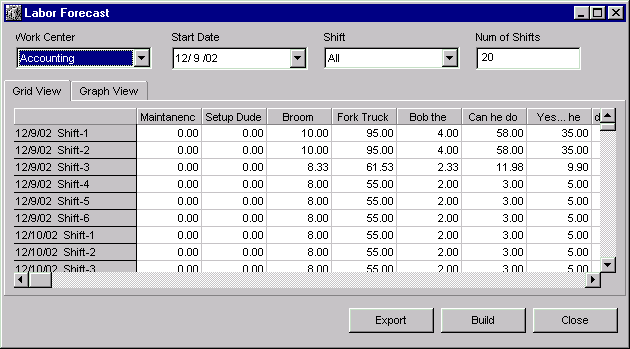
The Labor Forecast Window is used to accurately forecast, by work center and shift, the number of employees needed in a given Labor Category. This forecast is based off current jobs and queued jobs scheduled.
There are two different views to Labor Forecasting:
| · | Grid View
|
| · | Graph View
|
NOTE: This window does not automatically update information with each machine cycle. The Build button must be used to obtain the most current forecast figures.
Where can you find it?
| · | Choose the Schedule menu on the main your system window.
|
| · | Choose the Labor Forecast option.
|
What do you want to know about?
|
|
| · | Changing Work Centers
|
| · | Changing Start Date
|
| · | Changing Shifts
|
| · | Changing Number of Shifts to Forecast
|
| · | Changing Forecast Views
|
| · | Changing Graph Types
|
| · | Changing Labor Categories
|
| · | Rebuilding the display
|
| · | Exporting Data
|
| · | Sorting Columns
|
| · | Resizing Columns
|
| · | Closing the Window
|