Material Lot Tracking
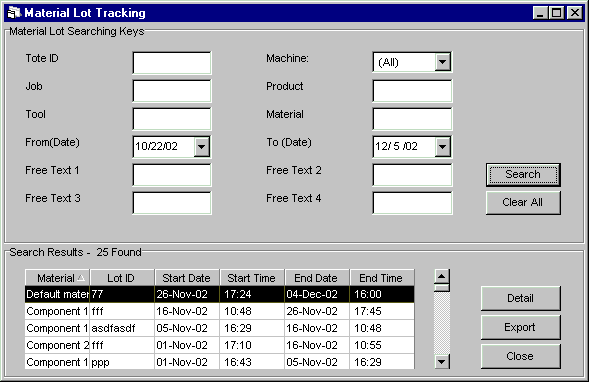
The Material Lot Tracking window displays material components and the material lot ids that have been entered at a DCM through a bar code reader or a touch screen. You can select a material lot and view its detail.
Upon entering this window, it is blank. Search keys located in the upper part of the window help find material lots quickly. If a search is initiated with search keys, all material components associated with those keys are listed at the bottom of the window. If all fields are left blank, all material lot records are listed. From this list, you can select a material lot record and view either its tote box or material lot history. See the Material Lot Detail on-help section for further information.
Where can you find it?
|
|
| · | Click on the History menu.
|
| · | Choose the Material Lot Tracking option.
|
What do you want to know about?
|
|
| · | Material Lot Tracking Concepts
|
| · | Searching Material Lots
|
| · | Clearing Search Fields
|
| · | Viewing Material Lot Detail
|
| · | Exporting Data
|
| · | Sorting Columns
|
| · | Resizing Columns
|
| · | Closing the Window
|