View
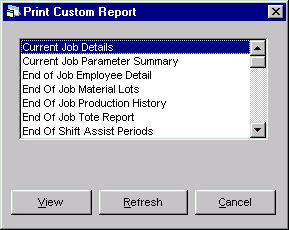
Once a custom report has been designed and defined within PlantStar Panorama, the Print Custom Report window provides the capability of printing those reports on-demand. A list of defined reports appears upon entry into the window. When one of these custom reports is printed, any criteria that has been defined for the report is utilized.
In terms of printing capabilities, both on-line and paper reports are available.
Where can you find it?
| · | Choose the Custom Reports menu on the main window.
|
| · | Choose the Print option.
|
|
|
| · | Selecting a Report
|
| · | Selecting Criteria for a Report
|
| · | Viewing the Selected Report
|
| · | Sending a Report to the Printer
|
| · | Refreshing the Display
|