Schedule
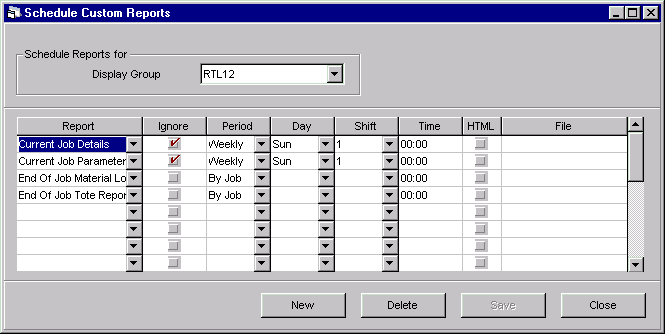
The Schedule Custom Reports window lets you schedule custom reports that have been defined within PlantStar Panorama for automatic printing. A variety of scheduling options are available:
| · | Weekly Reports
|
| · | Daily Reports
|
| · | End-of-Shift Reports
|
| · | End-of-Job Reports
|
Custom reports are scheduled on a PC by PC basis. For example, the Custom Reports Print program automatically prints any custom reports that you schedule to your default Windows printer. Other users may schedule different custom reports on their PC. Their reports will not print out from your PC.
NOTE: For scheduled reports to print, the Custom Reports Print program must be minimized. If the Custom Reports Print program is not running when a scheduled event occurs, no scheduled reports will be printed. The next time the Custom Reports Print program is opened, you will receive a message asking to print previously-scheduled reports.
Where can you find it?
| · | Click on the Custom Reports menu.
|
| · | Choose the Schedule option.
|
What do you want to know about?
| · | Changing Display Groups
|
| · | Creating a New Report
|
| · | Changing a Report
|
| · | Ignore Criteria in a Report
|
| · | Selecting a Period Interval
|
| · | Set Report to Display in HTML Format
|
| · | Assigning a Report File Name
|
| · | Deleting a Scheduled Report
|
| · | Saving your Changes
|