Assist Time Editor
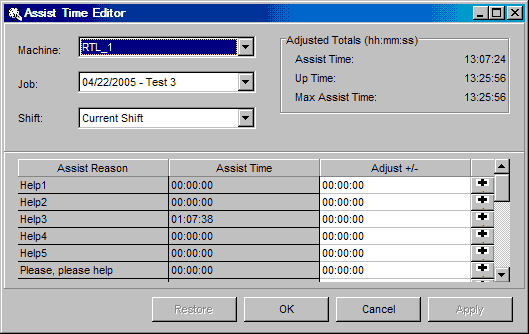
The Assist Time Editor window displays a table of assist time for a specified machine, job, and shift. There is one row of information in the table per assist reason. Incorrect time values for a job can be corrected in this window.
Adjustments can be made upward or downward for each defined reason. Adjusted totals cannot, though, be negative. There is one row of information in the table for each down reason. Use the "Adjust +/-" column to make any necessary adjustments.
Where can you find it?
| · | Click on the History menu.
|
| · | Choose the Assist Time Editor option.
|
What do you want to know about?
|
|
| · | Changing Machines
|
| · | Changing Jobs
|
| · | Changing Shifts
|
| · | Adjusting Times
|
| · | Saving your Changes
|
| · | Undoing your Changes
|
| · | Closing the Window
|
|
|