Comm Processor Setup
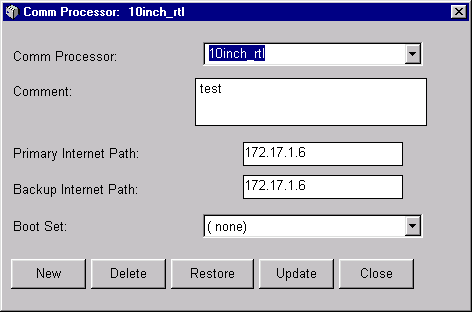
The Comm Processor Setup window lets you add, change or delete a communications processor (Comm Processor) definition. The Comm Processor is the link between an DCM on the production floor and the PlantStar Panorama host computer. At least one Comm Processor must be defined.
It is recommended that the shop floor be configured in the following sequence:
| · | Set up the Comm Processor.
|
| · | Set up DCMs.
|
| · | Set up Down, Reject or Assist reasons.
|
| · | Set up Work Centers.
|
| · | Set up machines.
|
Each DCM must be associated with a Comm Processor. This is done from the DCM Setup and Machine Setup windows.
Where can you find it?
| · | Choose the Shop Floor menu on the main Shop Configuration window.
|
| · | Choose the Comm Processor Setup option.
|
What do you want to know about?
| · | Selecting a Comm Processor
|
| · | Creating a Comm Processor
|
| · | Deleting a Comm Processor
|
| · | Updating a Comm Processor
|
| · | Changing a Comm Processor's Name
|
| · | Saving your Changes
|
| · | Undoing Your Changes
|
| · | Closing the Window
|