Profile Overlay
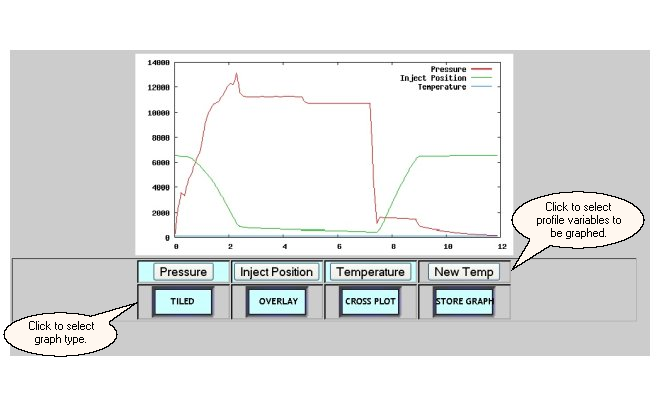
The Profile Overlay screen graphically displays the values of machine's profile data. A profile is a set of up to 500 readings of a rapidly changing process variable, such as pressure or position, collected during one machine cycle. The overlay displays up to four profiles for a machine on one graph.The Profile Tiled screen is the default profile screen that is displayed when the "PROFILE" button is selected on either the Process Summary or the Process Select screens. The Profile Overlay screen can only be selected from another of the profile graph screens.
The area below the graphs provides additional option buttons for displaying profile information. One or more of the available profile variables can be selected/deselected for graphing by using the named buttons. In addition, the profile screens provide navigation buttons to display the four available graph formats:
| · | the profile tiled graph
|
| · | the profile overlay graph
|
| · | the profile cross plot graph
|
| · | the profile store graph
|
Use the Lights Frame to return to the Process Summary screen.