Reject Reason Sets
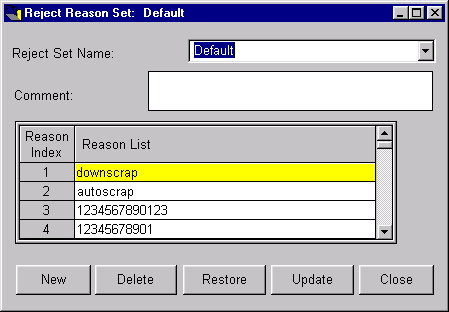
The Reject Reason Sets window lets you add, change or delete a reject reason set. Defining reject reason sets enable PlantStar Panorama to report on the number of rejects for a machine. It also is able to calculate reject percentages for each defined reject reason. Reject counts are collected using shift-to-date data of a current job or historical job.
You can define up to twenty (20) reject reasons for each reason set. The first defined reason set and its reason definitions are visible initially. Reason sets are attached to a machine from the Machine Setup window.
NOTE: An extended down and reject reason option can be purchased from PlantStar Panorama. This will extended the down/reject limit to one hundred and sixty (160) down/reject reasons for each set.
NOTE: Reject Reason Number Two has a special meaning attached to it. PlantStar Panorama uses the second reject reason to accumulate the difference between gross and net pieces when net parts counting is in effect.
Where can you find it?
|
|
| · | Choose the Sets menu on the main Shop Configuration window.
|
| · | Choose the Reject Reason Sets option.
|
What do you want to know about?
| · | Selecting Reason Sets
|
| · | Creating Reason Sets
|
| · | Renaming a Reason Set
|
| · | Deleting Reason Sets
|
| · | Saving Reason Sets
|
| · | Undoing Your Changes
|