Boot Sets
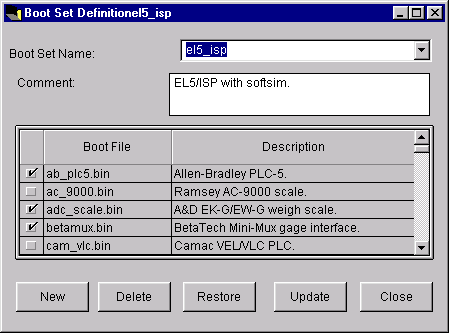
The Boot Sets window lets you add, change or delete a boot set. Defining boot sets enables PlantStar Panorama to start-up and load information into a communications processor or a DCM.
Defining boot sets for communications processors and DCMs are mandatory. A boot set lists the files that are downloaded to a communications processor or DCM. These files are required for communication and data collection. The boot set must correspond to your hardware configuration. A boot set is assigned to a communications processor or a DCM from the Comm Processors Setup or the DCM Setup windows.
A list of defined boot sets is displayed upon the opening of this window. The boot files included in each boot set are marked by a check box to the left of their file name. You may use the default boot sets provided or create your own boot sets.
Where can you find it?
| · | Choose the Sets menu on the main Shop Configuration window.
|
| · | Choose the Boot Sets option.
|
What do you want to know about?
| · | Selecting Reason Sets
|
| · | Creating Reason Sets
|
| · | Renaming a Reason Set
|
| · | Deleting Reason Sets
|
| · | Saving Reason Sets
|
| · | Undoing Your Changes
|
| · | Including Boot Files from a Boot Set
|