Loading a Product Standard onto a Job
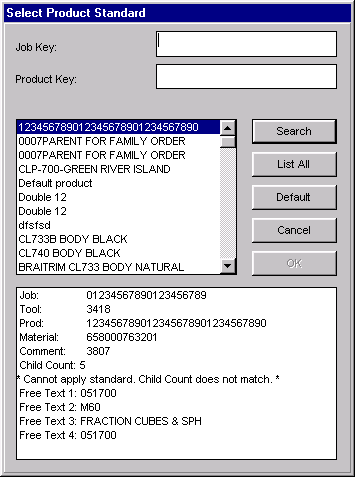
Any job can be updated by loading (copying) a product standard from the Load Product Standard window.
Where can you find it?
| · | The Load Product Standard window can be accessed from the Current/Queue Job, Work Orders, and Job Schedule Board windows.
|
| · | Click on the Load Std button.
|
| · | The Select Product Standard window appears. Select a product standard. Once selected, the Work Order window reappears with the job parameters of the desired standard.
|