Current / Queue Jobs
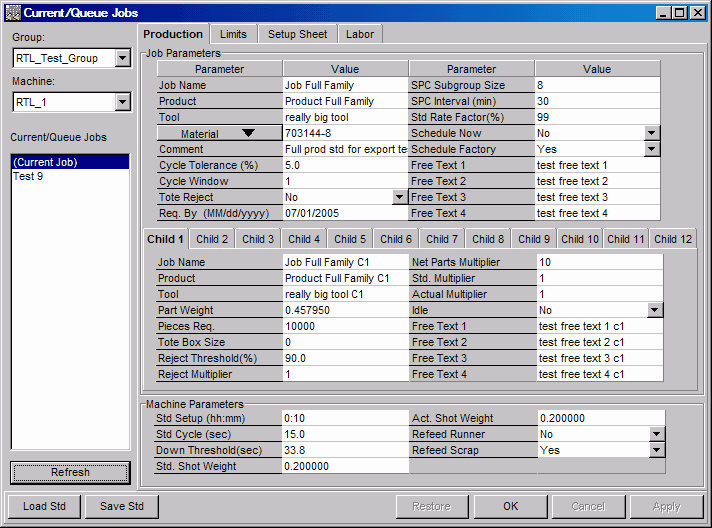
The Current/Queue Jobs window provides three functions:
| · | Job parameters for a current job can be changed.
|
| · | Job parameters for a queued job can be changed.
|
| · | The current job and any queued jobs can be saved as product standards.
|
A list of existing jobs is displayed on the left side of the window and job parameters are on the right. Additionally, the process variable, profile, setup sheets, and manning factor parameters are available from the Limits, Setup Sheet, and Labor tabs, located in the top portion of the window.
NOTE:
| · | Current and Queued jobs can also be created and edited from the Job Schedule Board window.
|
| · | Access to this window is limited. You must have the Edit Current Job or Scheduling privilege in order to edit job parameters. If you do not have these privileges, the window is viewable but no information can be edited.
|
Where can you find it?
| · | Choose the Schedule menu on the main your system window.
|
| · | Choose the Current/Queue Jobs option.
|
What do you want to know about?
| · | Changing Display Groups
|
| · | Changing Machines
|
| · | Selecting Current/Queue Jobs
|
| · | Editing Production Parameters
|
| · | Editing Process and Profile Limits
|
| · | Editing Setup Sheets
|
| · | Editing Labor Manning Factors
|
| · | Loading a Product Standard onto a Job
|
| · | Saving Jobs as a Standard
|
| · | Saving your Changes
|
| · | Undoing your Changes
|
| · | Closing the Window
|