User Defined Labels
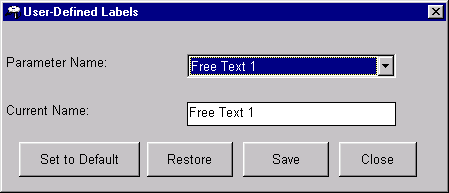
The User Defined Labels window lets you customize the title of a free text field. Up to four free text fields appear on the Product Standard, Work Order, Current/Queued Jobs, and Material Lot Tracking windows within the Monitor program and related reports. These fields can be used as customized searching keys or site-specific pieces of information.
The top field on this window displays the free text field selected. Below it is the title currently displaying on the above-mentioned windows. This second field is editable.
Where can you find it?
| · | Choose the User menu on the main Shop Configuration window.
|
| · | Choose the User Defined Labels option.
|
What do you want to know about?
| · | Selecting a Free Text Field
|
| · | Changing User-Defined Labels
|
| · | Setting User-Defined Labels to Default
|
| · | Saving your Changes
|
| · | Undoing your Changes
|
| · | Closing the Window
|